ClipQ Pro
Clipper · EQ · Color
Want the famous FL Studio Soft Clipper sound in EVERY DAW? Here you get it. It nulls 100% with the original. Clean, warm or crunchy. You decide.
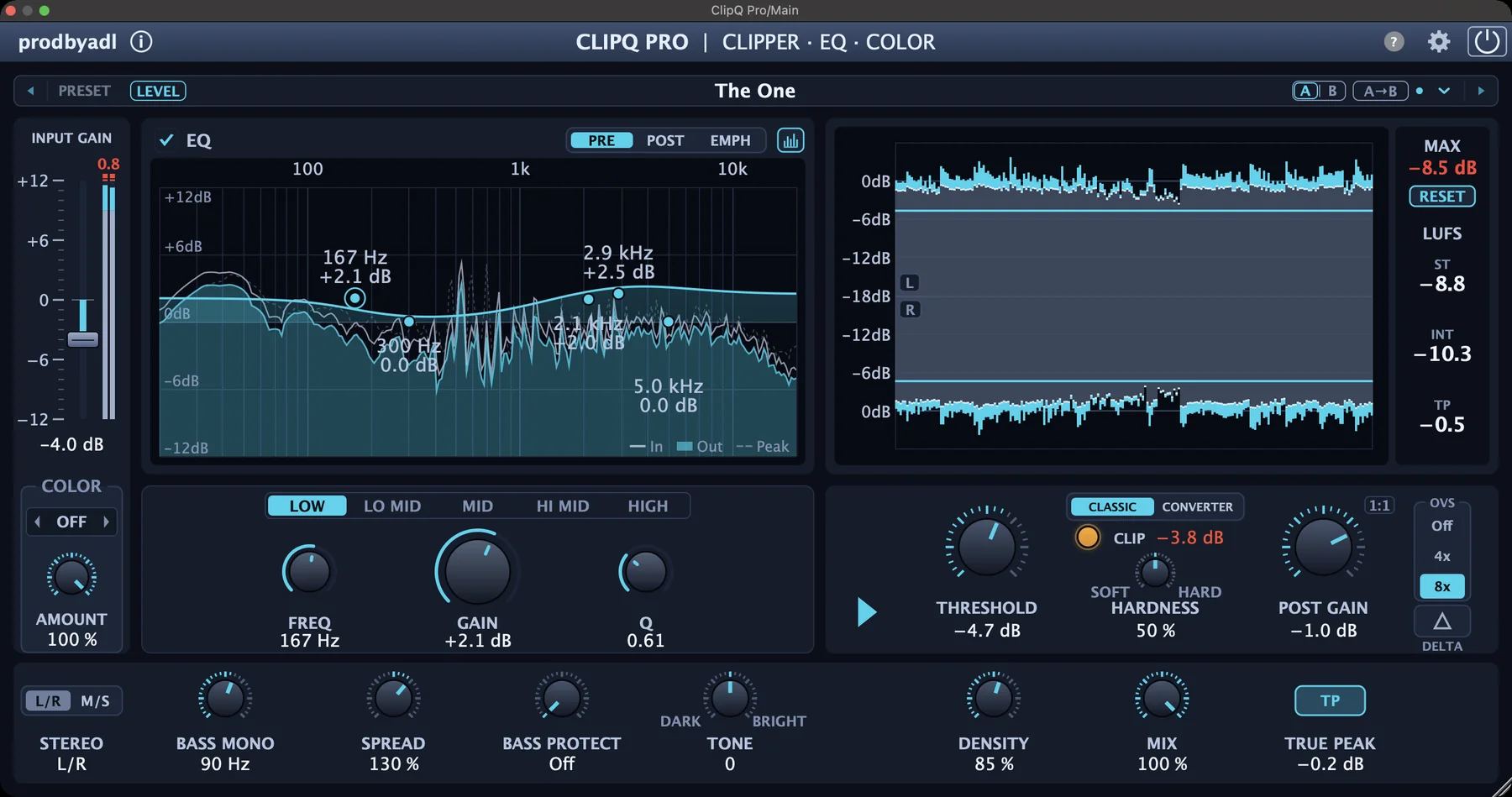
Same beat, same peak level.
Only ClipQ changes.
Just THAT sound. Or a lot more.
Start with just the clipper to get THAT sound. Open the rest when you want more. Switch anytime with one click.
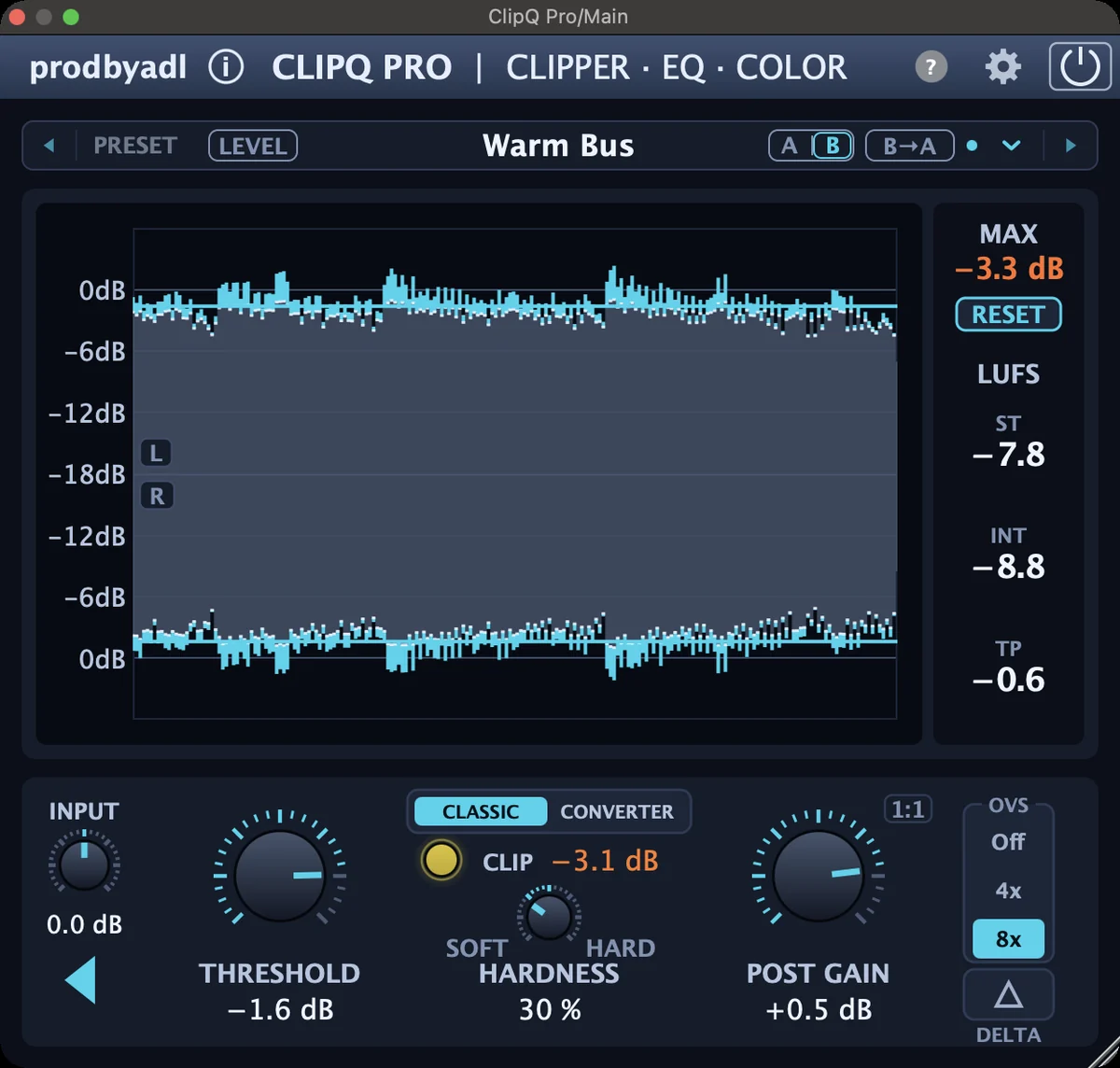
One plugin to rule your mix.
A clipper, a 5-band EQ and a Color stage, made for beats, mixes and masters.
Classic & Converter Clipping mode
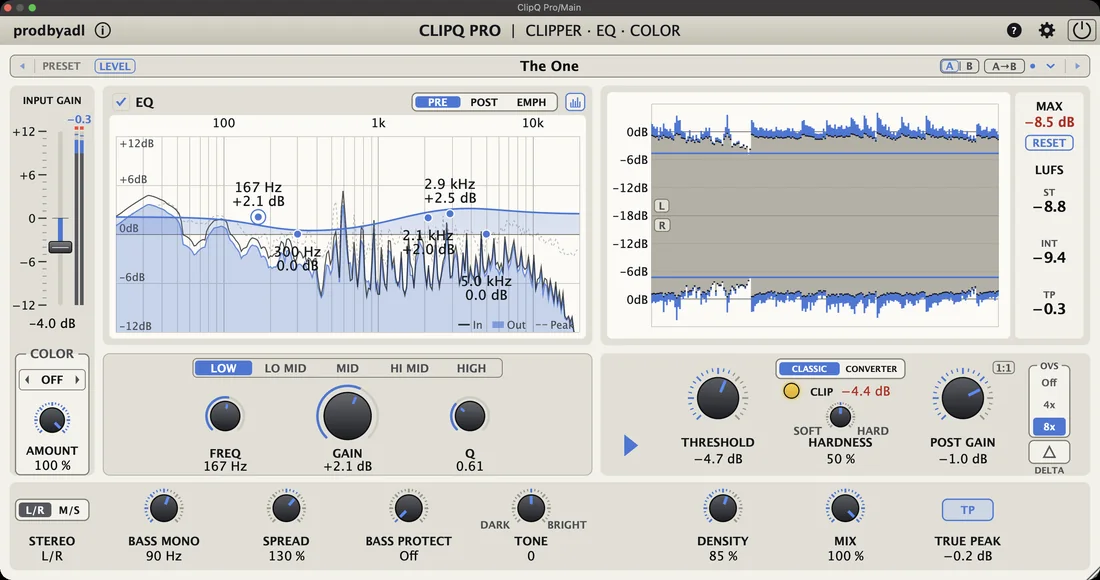
Classic with its default settings matches the FL Studio Soft Clipper sound 100%. The Hardness knob takes you from softer to harder clipping. Converter clips hard at the threshold, with a subtle transformer color.
5-band EQ with SPECTRUM
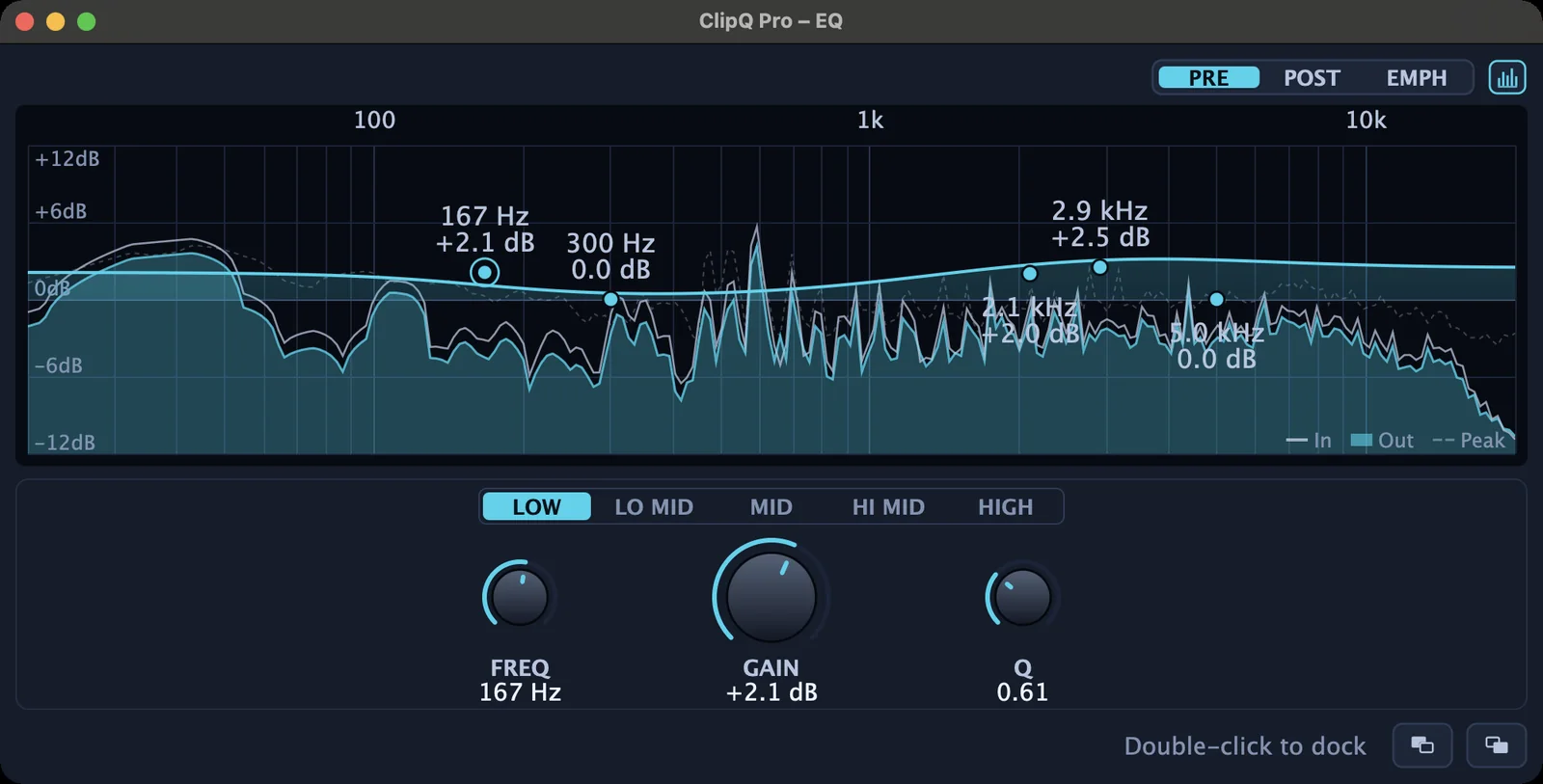
Low shelf, three mid bells and high shelf with a live spectrum behind the curve. ±12 dB per band, Q up to 20 on the bells. Solo a band, pop the EQ out into its own window.
Color: Warm, Tube or Grit
Add character in front of the clipper. An automatic level compensation keeps the loudness, so you hear the sound and not the level.
See what you clip
Live peaks right in the Clipper window, dB removed, LUFS and true peak. Pop the peak display out, with CLIP markers on the biggest clips.
EMPH: shape the clipping
Switch the EQ to EMPH and your levels stay exactly the same, only the clipping changes. Boost a band and it clips harder, cut it and it clips softer.
More control
M/S clipping, Bass Mono, Spread, Bass Protect, Tone, Density, dry/wet Mix, True Peak with pre-clipper and 4x or 8x oversampling. A/B, LEVEL, 1:1 and loudness-matched bypass.
The biggest update so far.
Free for everyone who owns ClipQ Pro. Fully backward compatible: your sessions and presets load and sound exactly as before, and all new controls start switched off.
Denser, tighter, wider
- DENSITY
- One-knob upward compression right before the clipper. It lifts the quiet parts while the peaks stay where they are.
- BASS MONO
- Everything below the set frequency (20 to 300 Hz) goes mono. Only the side signal is filtered, the center stays untouched.
- SPREAD
- Make the stereo image narrower or wider, from 0 to 200%. Only above the bass, so your low end stays tight.
5-band EQ
- LOW, LO MID, MID, HI MID, HIGH
- Pick a band with the buttons or click its point in the graph, then set FREQ, GAIN and Q.
- Finer and deeper
- ±12 dB per band for fine steps, and Q up to 20 on the bells for surgical cuts.
- Taller graph
- More room to see what you do. The EQ pop-out window works the same way.
Redesigned clipper
- Peaks in the clipper
- The Clipper window now shows the peaks, in SIMPLE mode too. Drag the threshold line to set the threshold.
- Stereo or mono
- L on top, R below (M and S in M/S mode). Click a tag for a mono view.
Also new
- Your colors
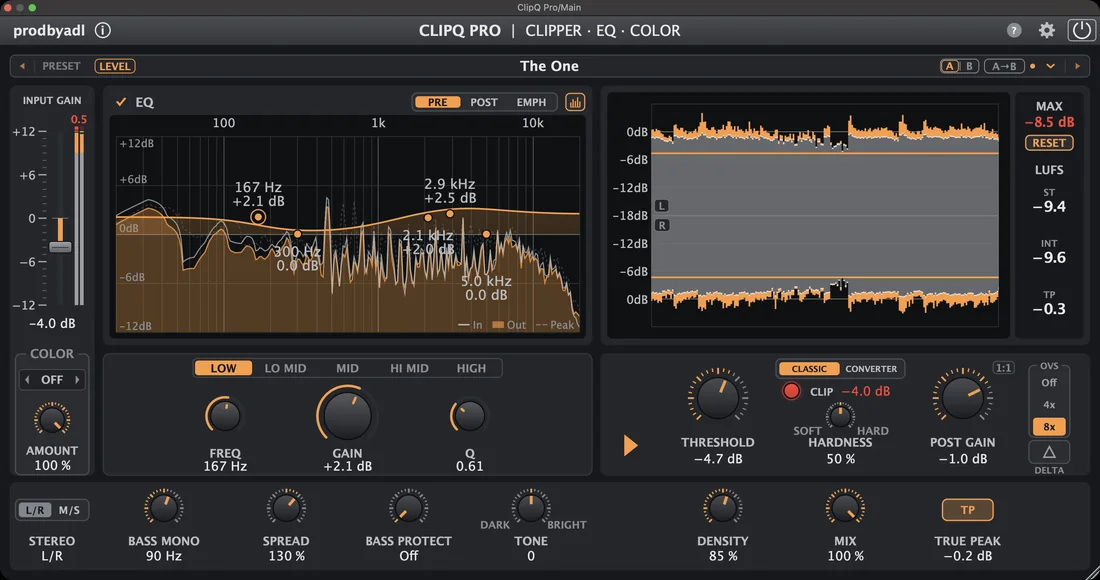
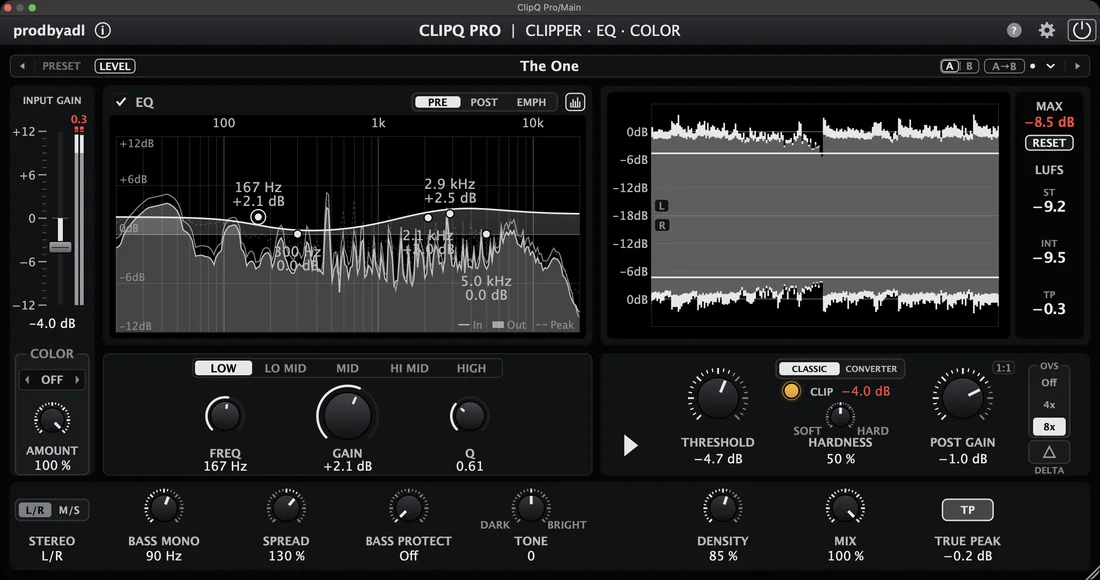
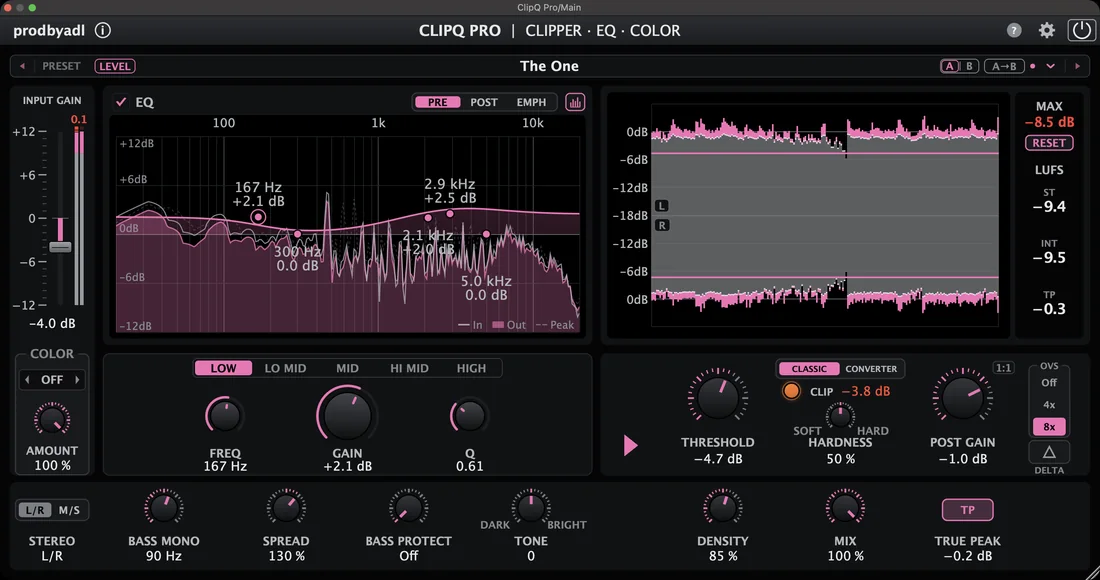
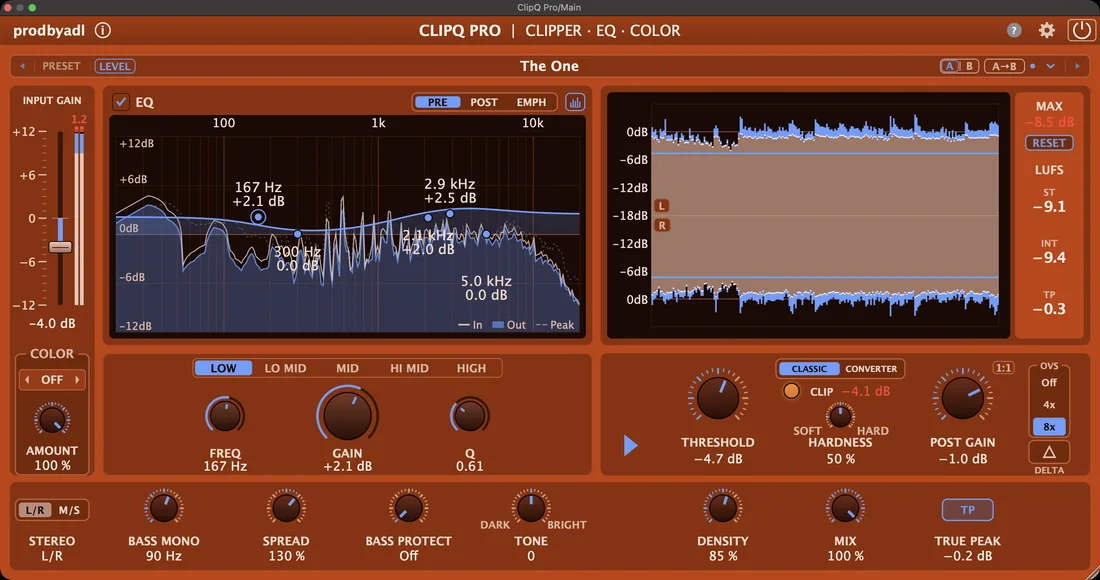
- 5 themes × 8 accent colors, saved with each instance.
- CLIP markers
- The three biggest clips per channel, with the dB removed.
- Smarter meters
- Click MAX, ST, INT or TP to reset just that value, or hold it to keep it reset.
See it big. Hear what you clip.
Pop the peak display or the EQ out into their own windows. Any size, any screen, even full screen. Double-click to dock.
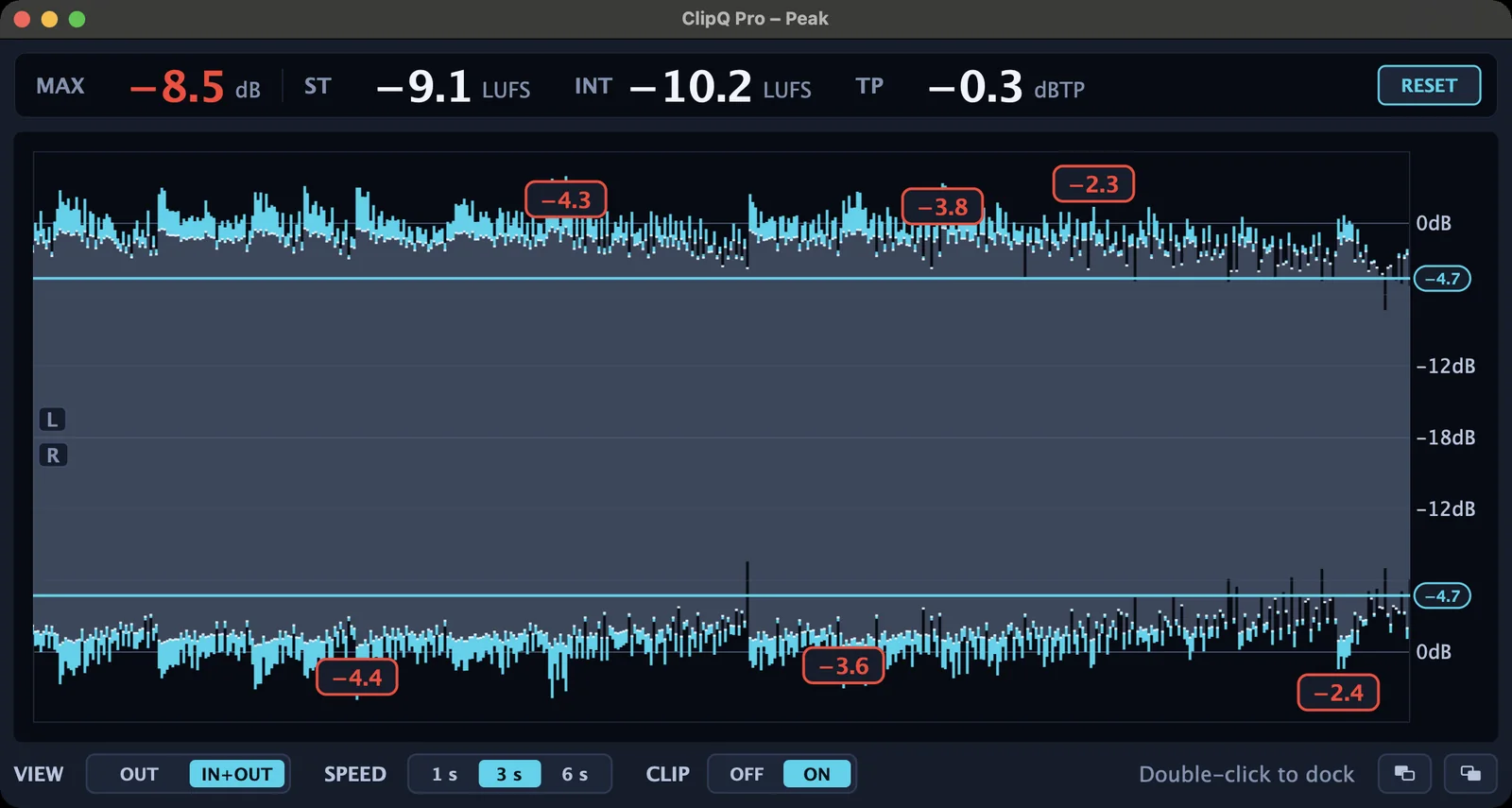
- True Peak with pre-clipper: keeps the output below the level you set, inter-sample peaks included, and keeps the kick's click.
- Delta listen: hear only what the clipper removes.
- Solo listening: right-click an EQ band to hear only that band.
- Input meter: see how hot you hit the clipper.
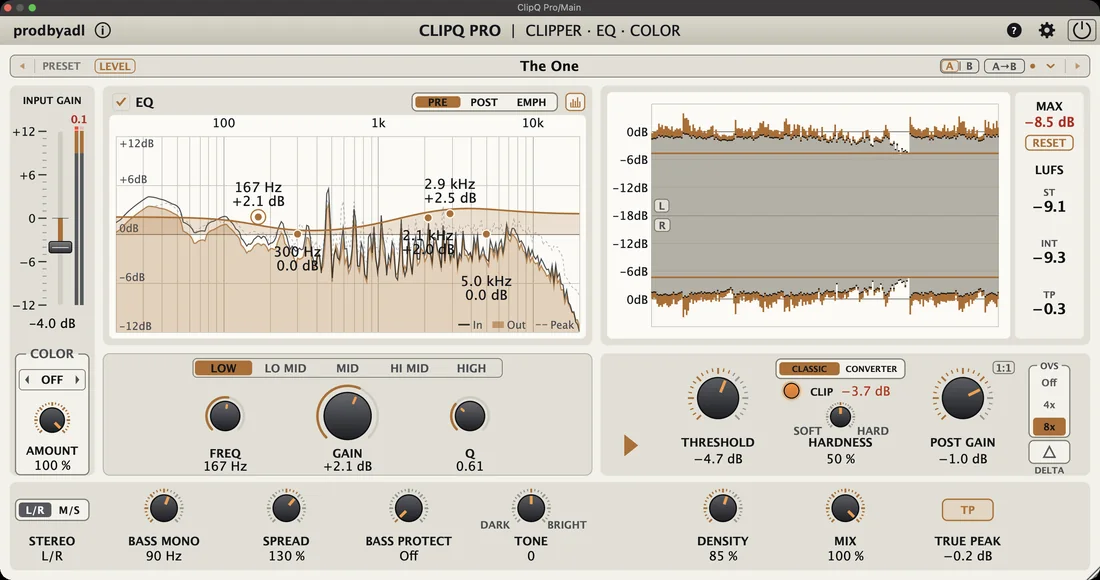
5 themes. 8 accents. Your vibe.
Pick a theme and an accent color in Options. Each instance keeps its own look, so you can color-code your sessions.
Good and better.
Two plugins, two feature sets. ClipQ is free and gets you THAT sound. ClipQ Pro adds the Converter Clipping mode, the 5-band EQ, DENSITY, BASS MONO, SPREAD, SPECTRUM, EMPH, A/B, LEVEL, 1:1, a smarter True Peak and every future update.
| Feature | ClipQ | ClipQ Pro |
|---|---|---|
| Soft Clipper with Hardness, Delta listen, M/S and Bass Protect | ✓ | ✓ |
| Color, SIMPLE & ADVANCED view, pop-out peak display | ✓ | ✓ |
| VST3 · AU · CLAP (macOS), VST3 · CLAP (Windows) | ✓ | ✓ |
| Clipping | Classic | Classic & Converter |
| Oversampling | Off · 2x · 4x | Off · 4x · 8x |
| True Peak | Limiter | Limiter with pre-clipperless pumping, keeps the punch |
| EQ | 3-band | 5-band, ±12 dB, Q up to 20with SPECTRUM, band solo, own window |
| EMPH EQ positionshape what gets clipped, your tone stays | – | ✓ |
| DENSITY, BASS MONO, SPREAD | – | ✓ |
| A/B, LEVEL, 1:1, loudness-matched bypass | – | ✓ |
| Color schemes | 3 | 5 themes × 8 accents |
| Factory presets | 30+ | 50+ with preset search |
| Updates | Final version, bug-fixed | All future updates |
Ready to hear it?
Buy ClipQ Pro now and get the 2.0 update free on December 1. Not sure yet? Try every Pro feature for 14 days, no limits. Unlock any time with your license key, everything sounds exactly as before.
🔥 Black Friday: $4.99 with code CLIPQCREW, until Nov 30. Get the deal
Just want the clipper? Get ClipQ for free.
What you need
- Formats: VST3, AU and CLAP on macOS, VST3 and CLAP on Windows
- Mac: macOS 11 or newer, Apple Silicon and Intel
- Windows: Windows 10 or 11, 64-bit, signed installer
- Included: installer for each system, step-by-step installation guide, PDF user guide
Quick answers
Does it really sound like the FL Studio Soft Clipper?
Yes. Classic mode with its default settings nulls 100% with the original in a phase test.
Does Color change the loudness?
Not noticeably. An automatic level compensation keeps the loudness very close to Color off. The peaks can still be a little lower, especially with Grit.
Does it add latency?
Only when oversampling or True Peak is on. ClipQ reports it to your DAW, so your project stays in time.
Can it go over 0 dBFS?
The clipper has a ceiling at 0 dBFS. Post Gain above 0 dB, EQ boosts after the clipper and the M/S mode can exceed it, so turn on True Peak if you need a hard ceiling.
I already own ClipQ Pro. Do I pay for 2.0?
No. 2.0 is free for everyone who owns ClipQ Pro. Download it from your Gumroad library on December 1.